Our Maintenance reports go through your website health in sections that we look at and we provide a full explanation below.
The overview section gives you an overview of your website in a snapshot, further pages are go into a bit more detail
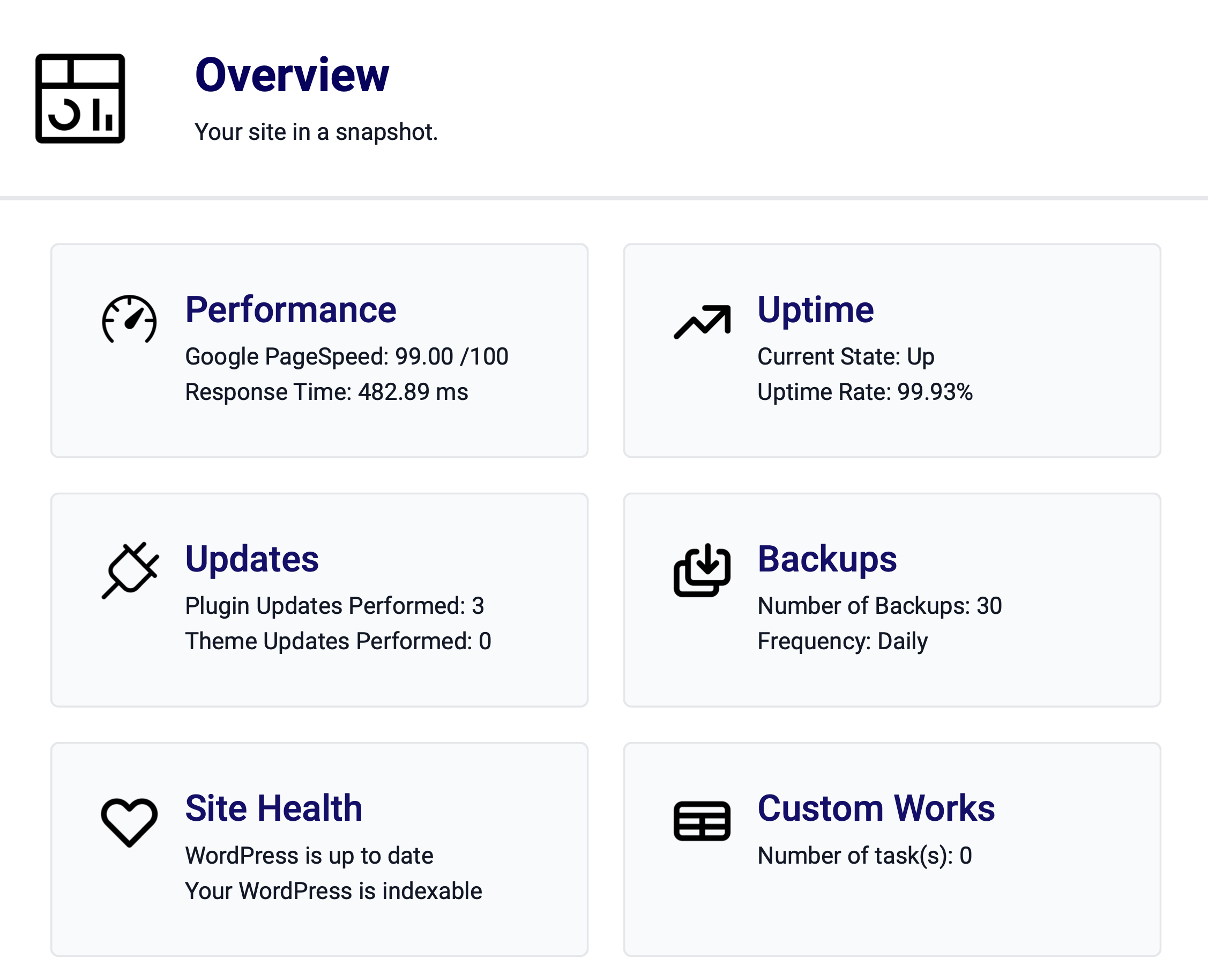
Dependent on your website package.
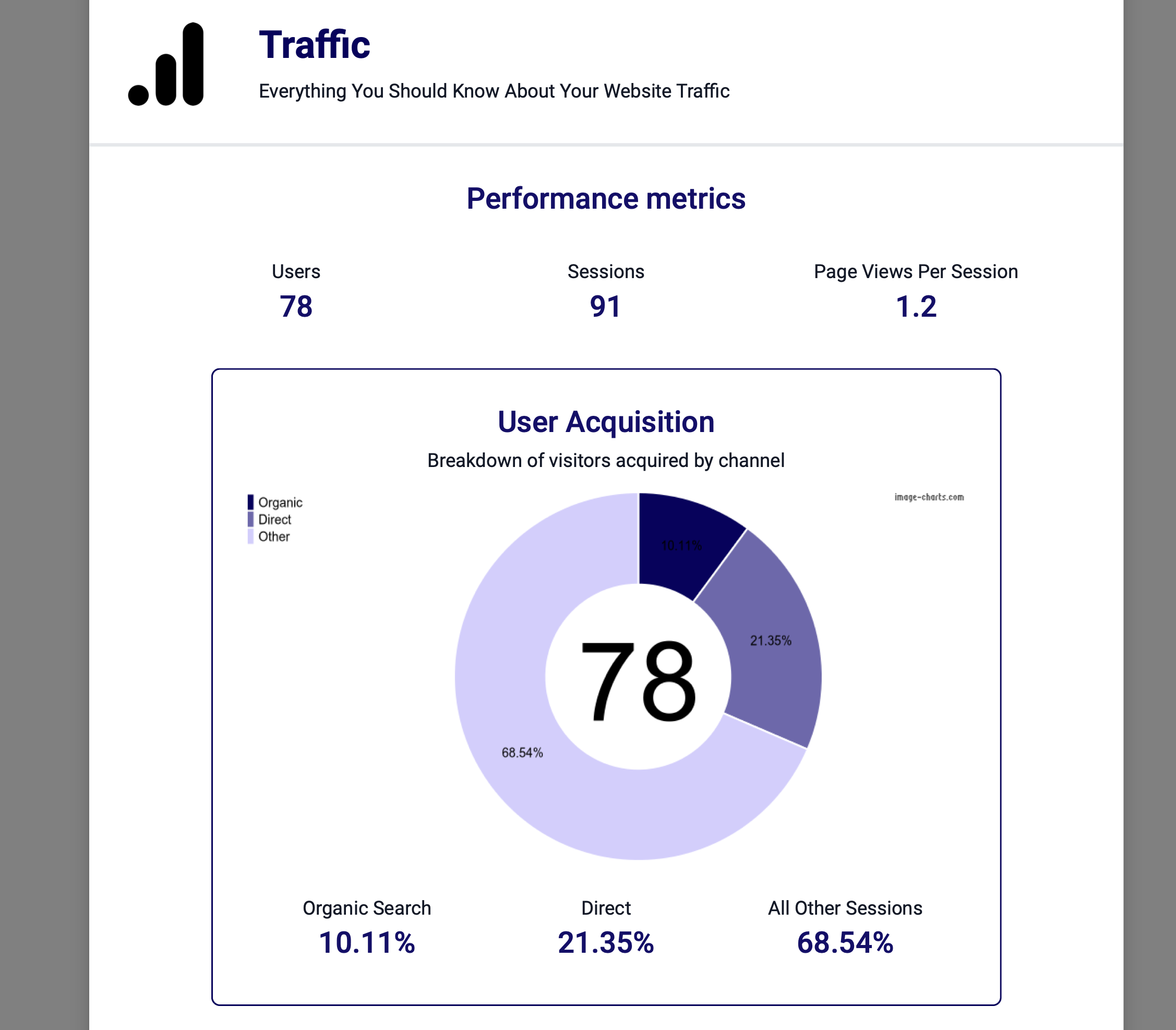
The traffic page gives you an idea of how your website is performing, user acquisition shows you where customers have come from. Organic is from search engines, direct is where people have typed in your web address and other is from sources such as social media or links from other websites.
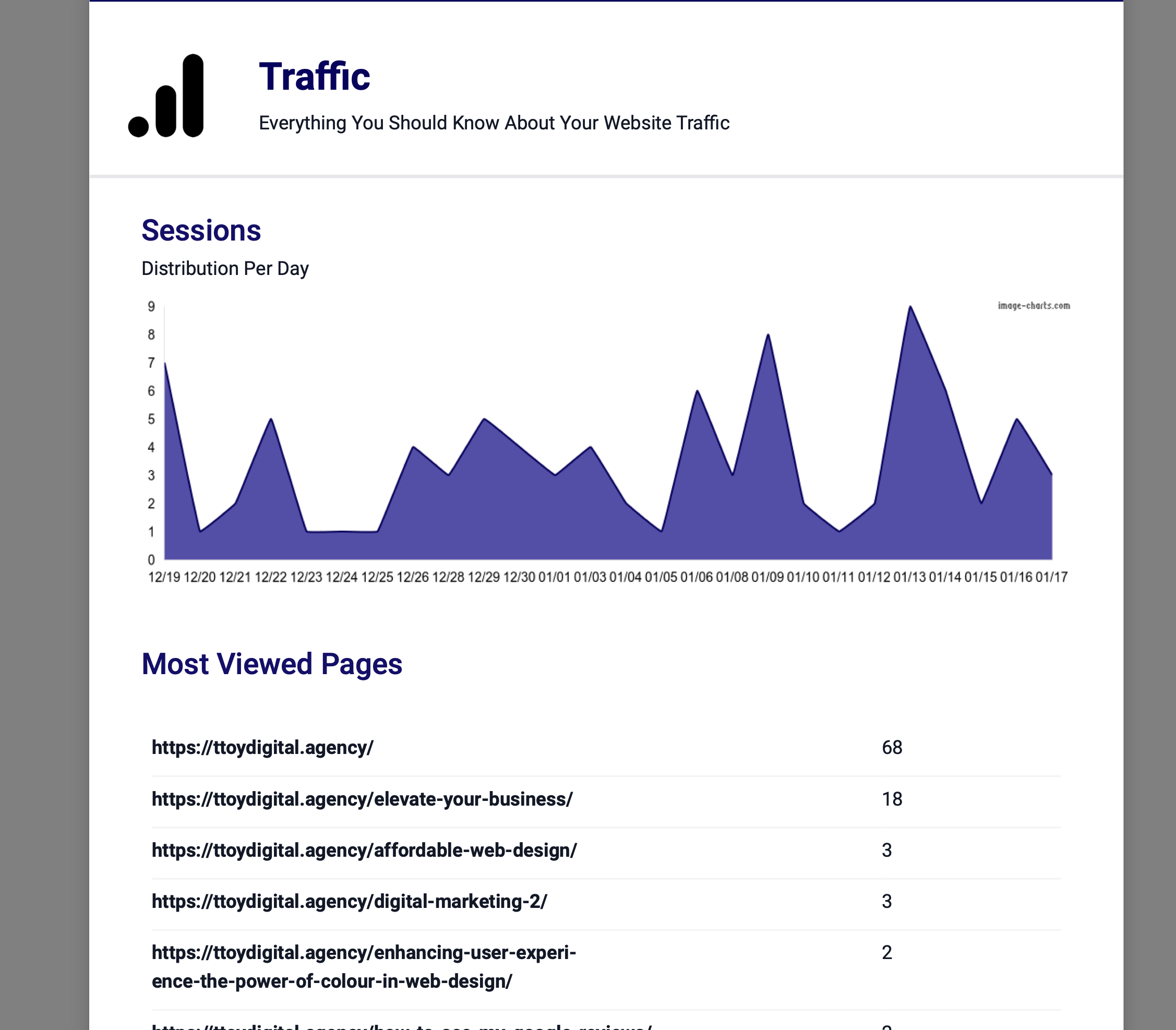
Sessions gives you a daily view of people visiting your site and the pages that get the most views.
The performance and uptime report shows you technical performance information about your website. We check your website every 60 seconds to ensure its up and running this is then translated on to the report as:
Status - whether the monitor is up and running.
Uptime - The percentage of uptime of the site (excluding maintenance windows) we aim for 99.99% uptime.
Response time - How long it takes your website to accept the request from someones browser
Google Page Speed - How well google things your website performs technically, out of 100 and marked bases on a cumulative score of the following:
First Content Paint - The time it takes for your website to start loading on screen
Large Content Paint - This is the time it takes the biggest element to load on the first section of your website that displayed when the website loads (above the fold)
Time to interactive - The time it takes your website to load so that users can interact, such as click on buttons or scroll
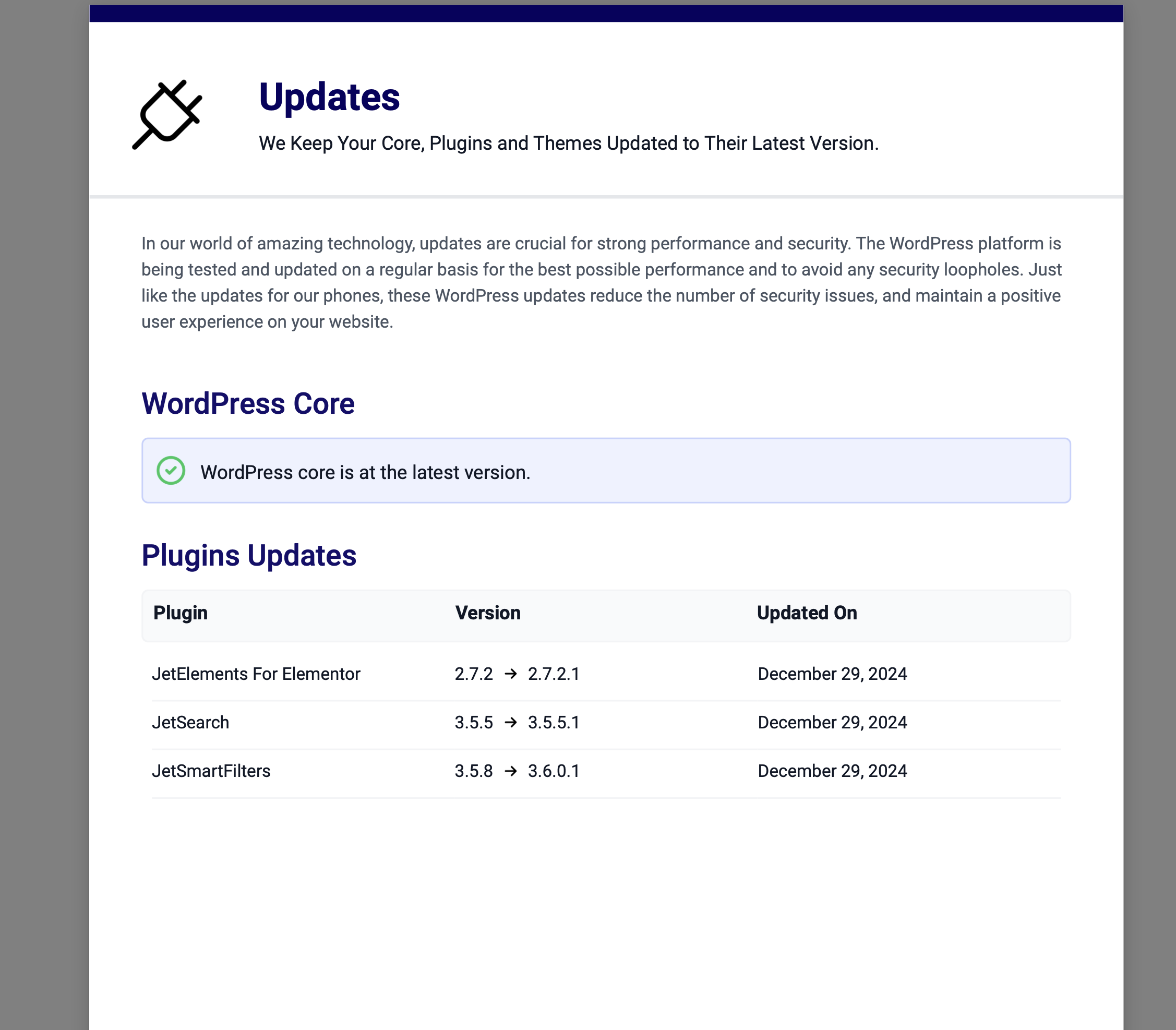
Like all software, updates are needed to keep your website secure and running properly. Our updates a split into three areas:
Core - This is the back end of your website, the bit that stores all of the information
Plugins - The are extra bolt ons to your website, these add or change functionality.
Themes - the them is what takes all the information in the backend or core and displays it in a web page.
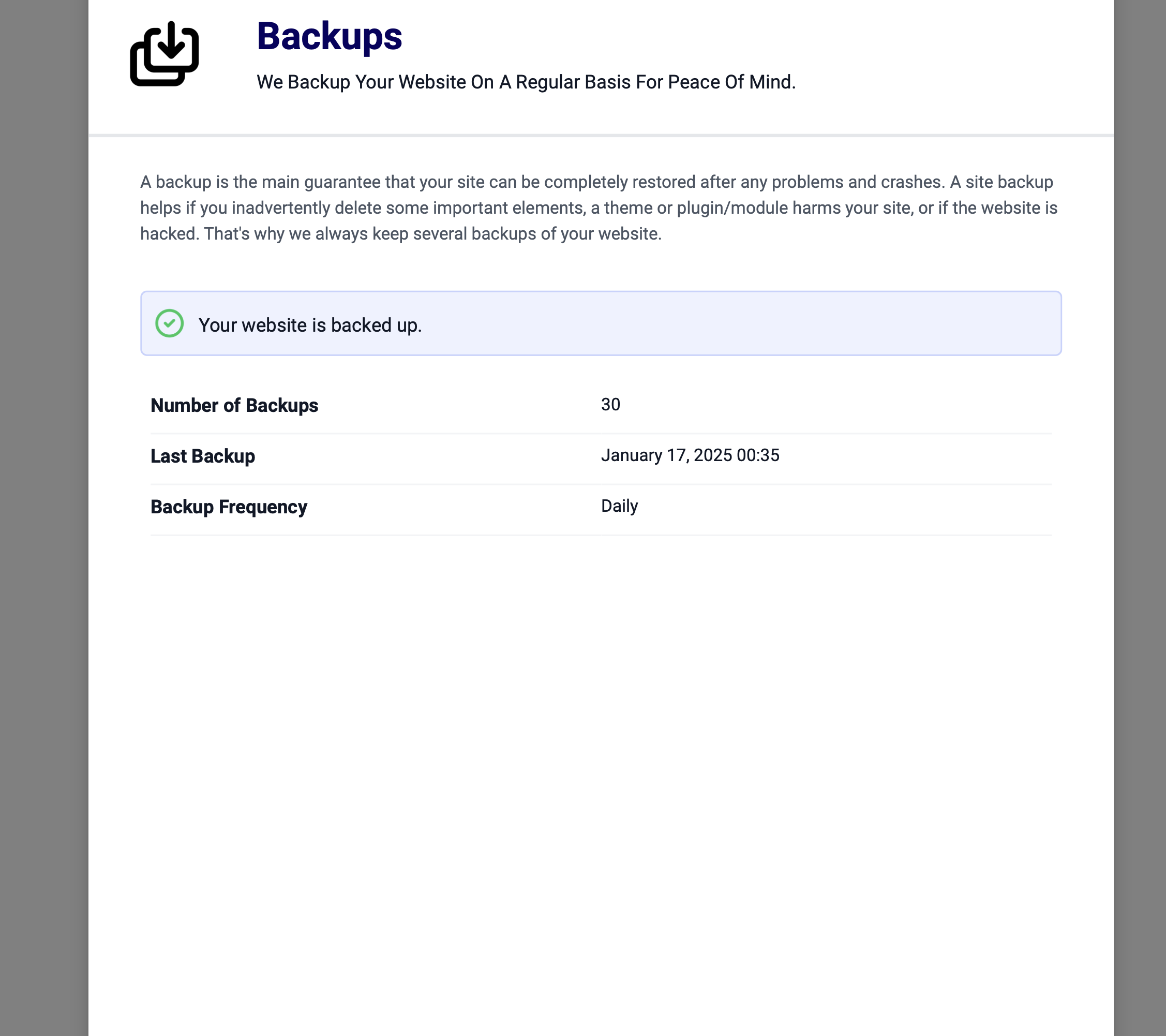
Backups are snapshots of your website that we store incase something goes wrong. We store two lots of backs taken at different times, usually 2 daily backups but for big high traffic e-commerce stores we take hourly back ups. We store backups for 30 days.
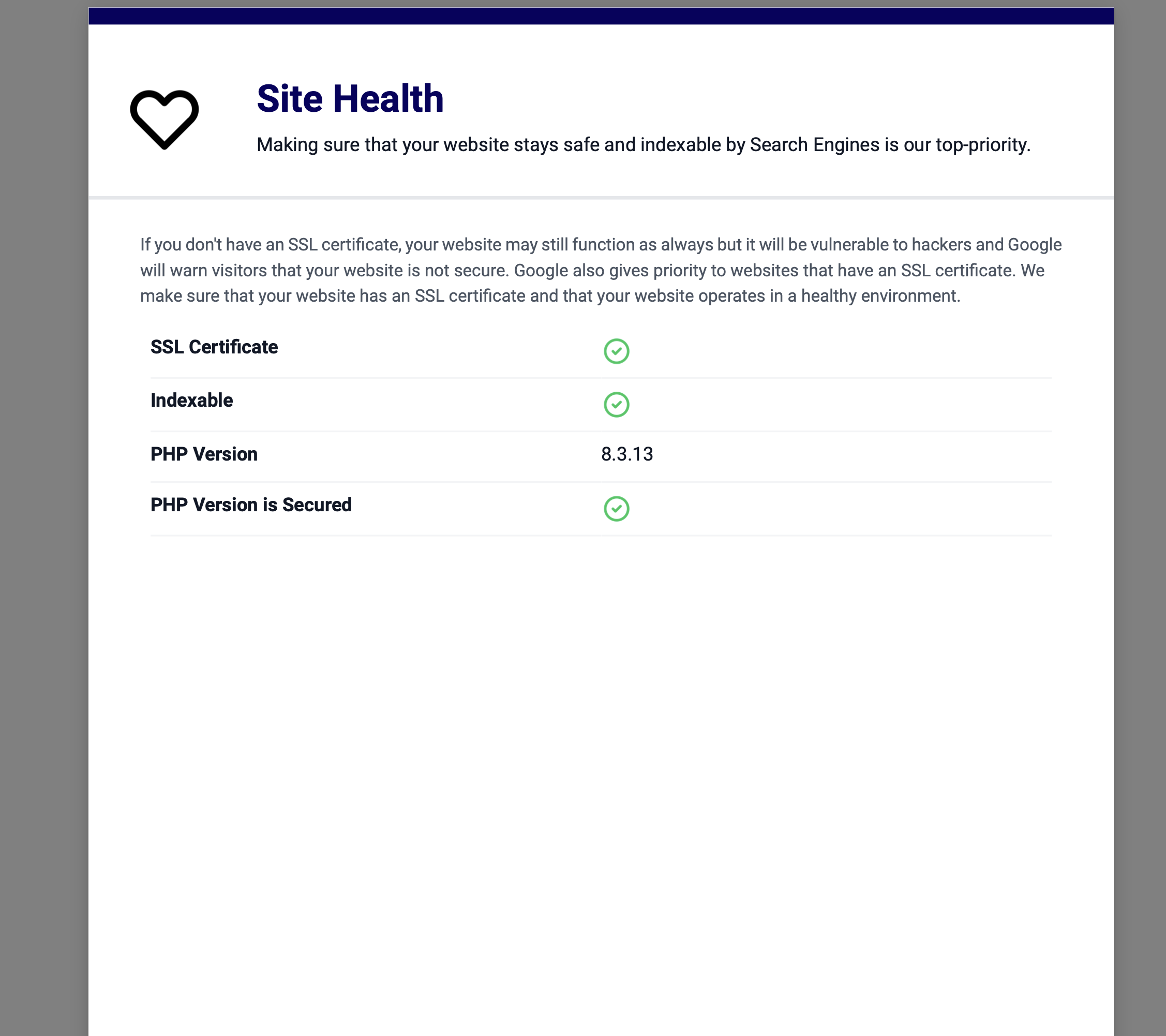
The site health sections shows you some top level information about your site:
SSL Certificate - SSL stands for secure socket layer, in normal terms its the padlock that in the address bar of your browsers that lets your users know the communication channel between their laptop and your website is secure. Every website should have an SSL Certificate installed.
Indexable - Whether search engines can read your site
PHP Version - PHP is the code that makes your website work.
PHP Secured - Details whether your version of PHP is secure.