Say a customer emails to ask for a quote on a new kitchen. They're not a customer yet. But they're not just a name in your contacts either.
That's an opportunity. It's a possible sale, tracked from first enquiry to the moment you win it (or lose it).
A contact is a person. An opportunity is a deal with that person.
One contact can have several opportunities over time. A customer who bought a kitchen last year might come back for a bathroom. That's a new opportunity.
Without opportunities, your sales live in your head, your inbox and a few sticky notes.
With them, you can:
See every live deal in one place
Spot the ones going cold before they disappear
Know roughly how much money is in the pipeline
Stop asking "did anyone reply to that quote?"
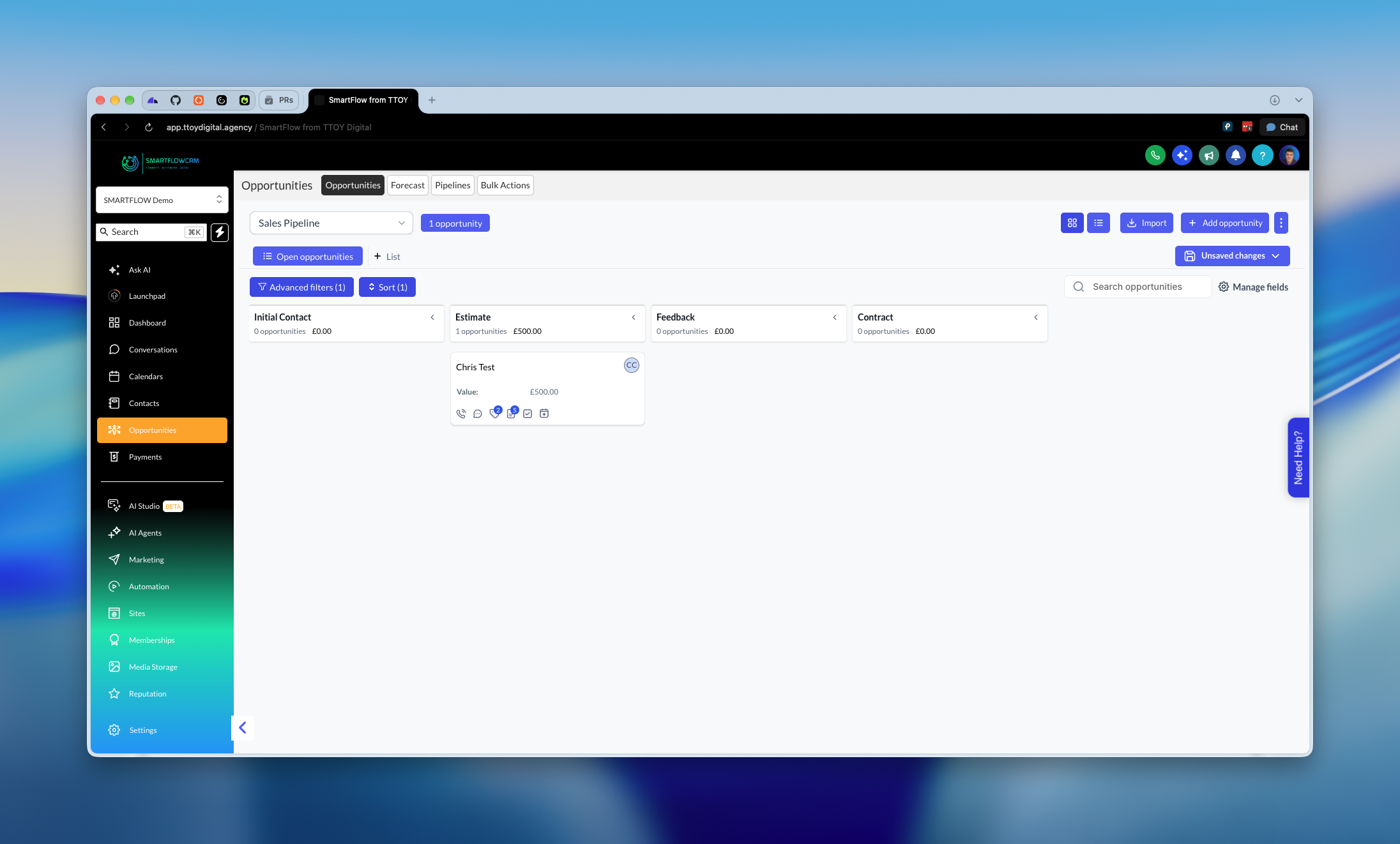
Opportunities sit in a pipeline. That's a row of columns showing where each deal is up to. Each column is called a stage.
A simple one might look like this:
New enquiry
Quote sent
Follow-up
Won
Lost
You move a deal along by dragging its card from one stage to the next. That's it.
Use stages that match how you actually sell. If you never do a site visit, don't add a "Site visit" stage.
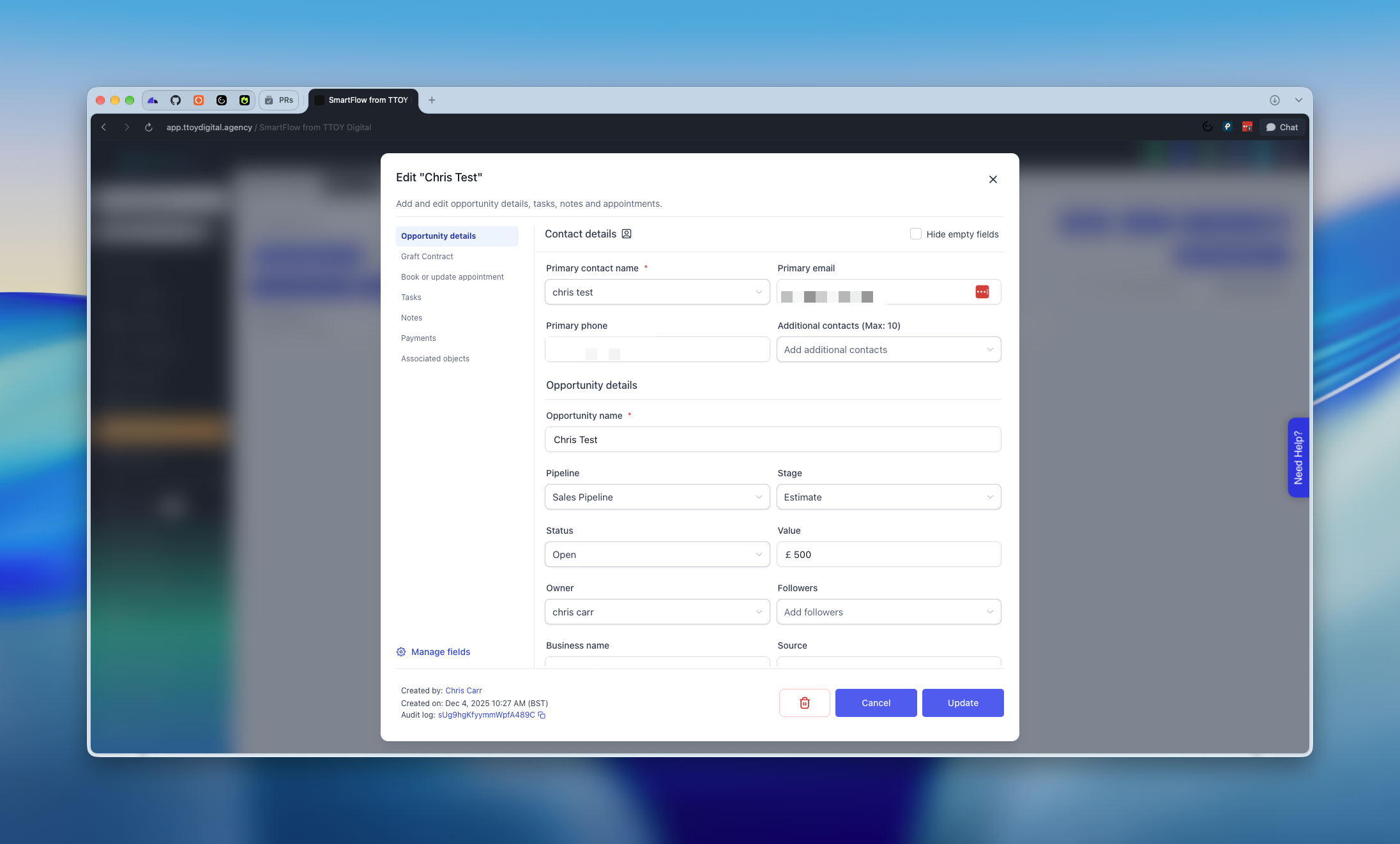
Each card holds the basics:
Contact: who the deal is with
Value: what it's worth, in pounds
Stage: where it's up to
Owner: who on your team is looking after it
Status: open, won, lost or abandoned
You can also add notes, tasks and appointments, and see every email or message with that person.
There are three ways:
Automatically. A contact fills in a form on your website and an opportunity appears in your first stage. This is the best option because nothing gets missed.
By an automation. For example, someone replies "yes" to a text and a deal is created for them.
By hand. You add one yourself when a customer rings or walks in.
Keep it simple:
Check your pipeline once a day.
Move anything that's changed.
Look at the oldest cards first. Those are the ones about to go cold.
When a deal ends, mark it won or lost. Don't leave it hanging.
Marking deals as lost matters more than you'd think. It keeps your pipeline honest, and it shows you where deals fall away.
Leaving dead deals in the pipeline. A pipeline full of old cards tells you nothing. Close them out.
Too many stages. Five or six is plenty.
Not adding a value. Even a rough figure helps you see what's coming in.
Treating it as admin. It takes seconds, and it's the quickest way to stop leads slipping through the cracks.
Open your pipeline now and look at the oldest card. Either move it on, or close it out. Ten seconds, and you've already improved your pipeline.